Website And Public Brand Surfaces
Homepage hero, service framing, operational proof, and public-facing information architecture.
Lead with the operating problem, then service architecture, then proof.

Tech Ops PH
Brand Applications Catalog
Operator-trusted production surfaces, templates, and exports
Brand Center
Browse the approved brand surfaces, export packs, and templates without digging through the repo first.
Use family pages when you already know the output. Use download packs when you need a grouped handoff.
Start Here
Choose a family when the output is clear. Use the full catalog when you need to compare readiness across the system.
Application Families
Search by asset name, or filter by status and family.
Homepage hero, service framing, operational proof, and public-facing information architecture.
Lead with the operating problem, then service architecture, then proof.
High-context profile surfaces that carry the market-facing role cleanly without turning into posters.

Keep the message short and leave clear crop-safe space for profile photos.
Reusable layouts for announcements, operator insights, service promos, and carousel storytelling.
Use short statements and layouts that still read under fast scanning.
Cover, section, proof, and service narrative layouts for capabilities decks, proposals, and speaking.

Use the deck to explain the problem, intervention model, and proof clearly.
Letterhead, statement of work, invoice cover, one-pagers, and proposal-oriented reading surfaces.

Documents should read as structured and accountable, not promotional.
Print-production contact surface with a QR-backed vCard handoff for real-world networking and events.
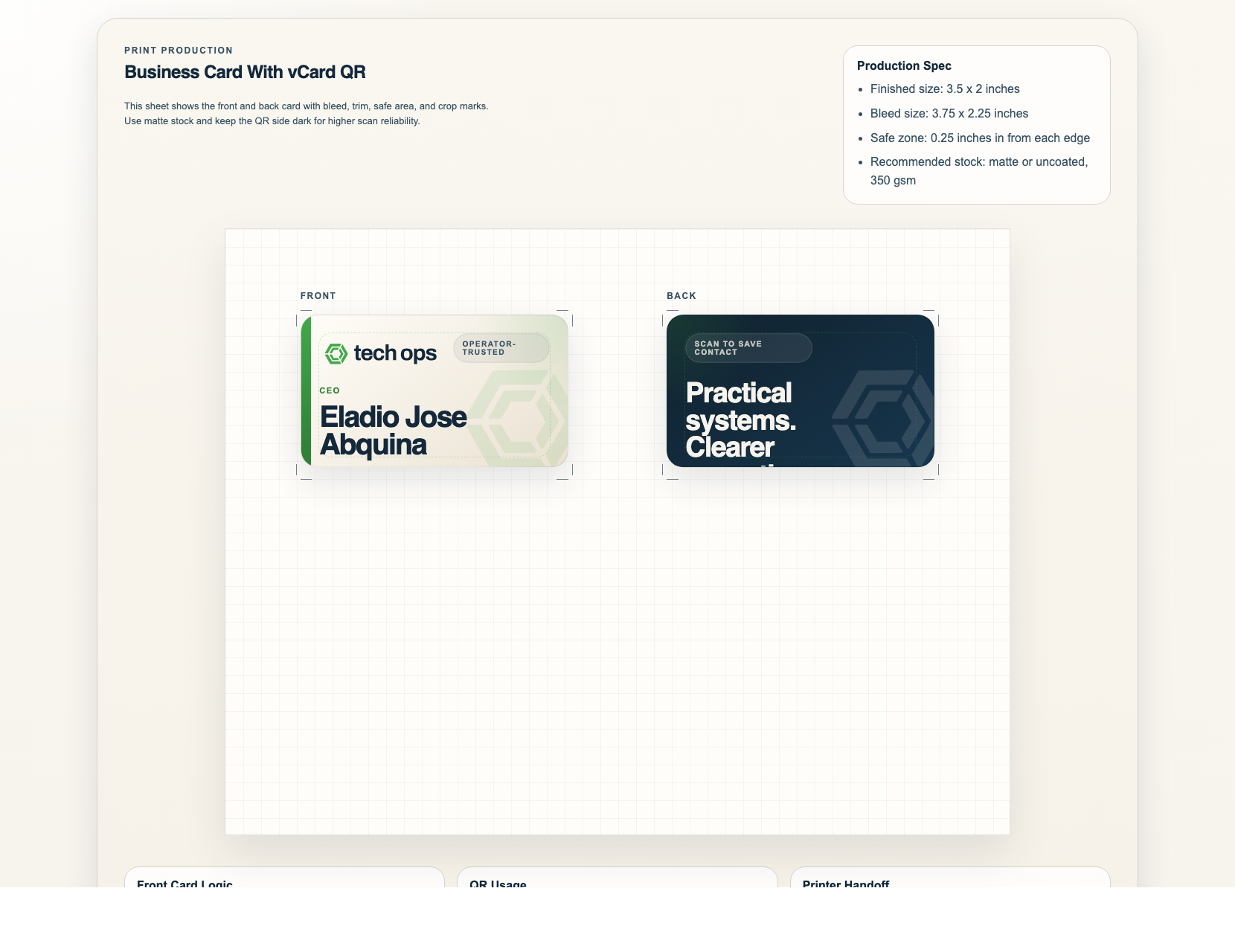
Keep the front contact-led and let the QR stay useful, not dominant.
Controlled signature treatment for outbound email, introductions, and low-noise contact surfaces.

Use one mark, one URL, and only the contact fields that matter.
High-context credential surface where the descriptor can appear without overloading the system.
Proposal
Simple logo-led production layouts for shirts and future print-support surfaces.

Logo pack, favicon, and icon-only assets for avatars, tabs, app surfaces, and compact placements.
No catalog cards match the current search or filter. Clear the search or switch back to a broader filter.
Pack Downloads
Use ZIP packs when you need the current approved family files together.
Public Narrative
Core strategy, naming, service, proof, and application chapters for public-facing use.
Social
Banners, campaign templates, and carousel defaults in one handoff bundle.
Decks And Documents
Deck themes, proposal cover, letterhead, SOW, invoice, and one-pager defaults.
Contact And Print
Business cards, QR/vCard assets, email signature, and merch starter files.
Identity
Current lockups, wordmarks, icon assets, favicon, and app-icon entry points.
Mini Site
These pages group the catalog into clearer family views with the right next step.
Operating Pattern
The system should help you move faster, but only from approved sources and with the right escalation path.
Choose the actual channel first: deck, proposal, banner, document, card, social post, or print item.
Use the approved template or direct-use export linked from this catalog before creating anything custom.
Use the brand-book application and voice chapters when copy or hierarchy decisions become unclear.
If a new asset becomes the standard, add it to templates/ or assets/ and log it in the book.
Source Of Truth
Use these supporting surfaces when a question is about rules, not just file selection.